One reporter.
Three audiences.
Minimal for PR checks, detailed for QA deep-dives, executive for stakeholder reviews. One npm install, one CI run, three audiences covered.
npx @reportforge/playwright-pdf reportforge-demo2.1K downloads from npm and counting
Works with your CI
- GitHub Actions
- GitLab
- Bitbucket
- Jenkins
- Azure DevOps
Choose by audience,
not by tool.
Swap templates per run — no config change needed.
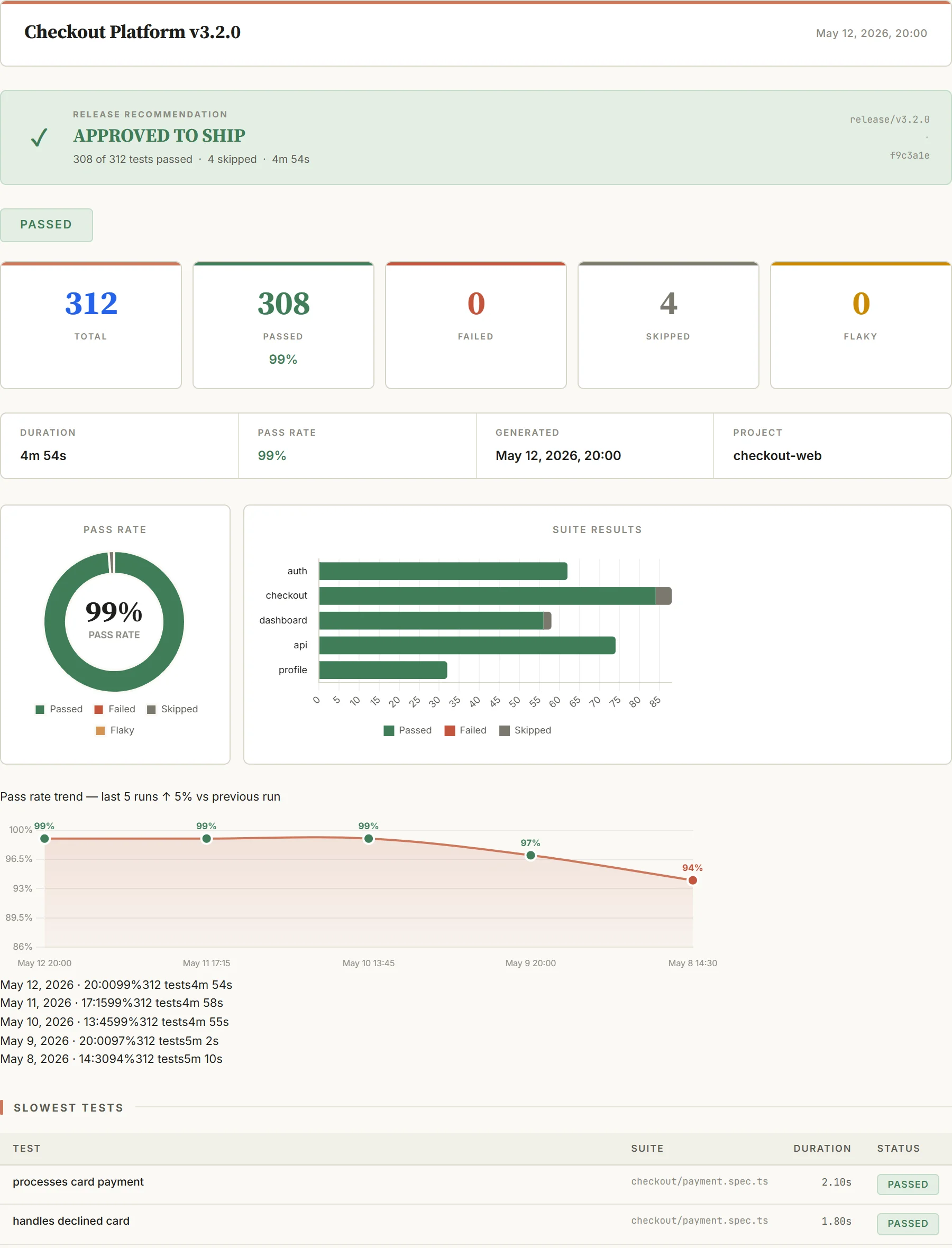
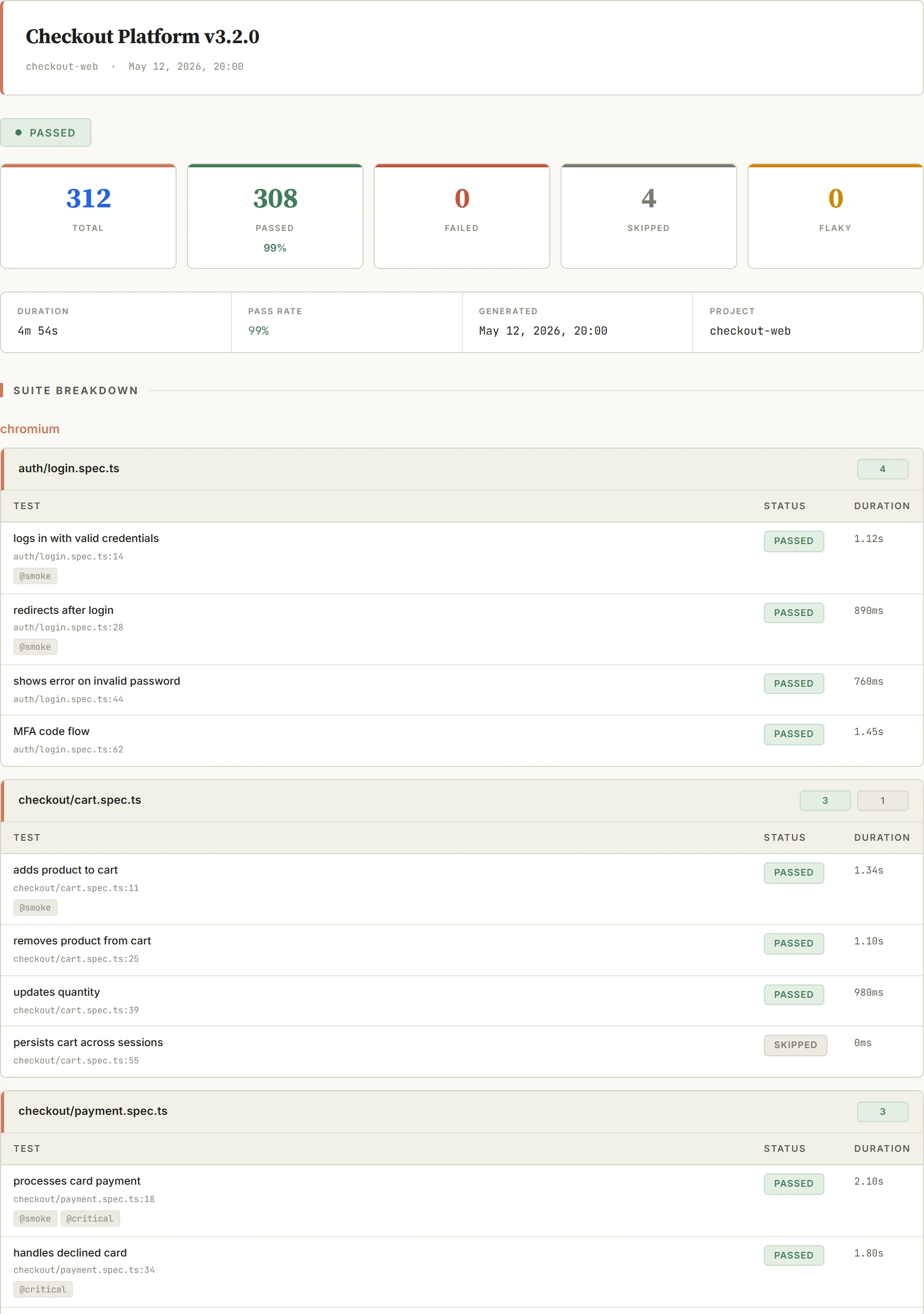
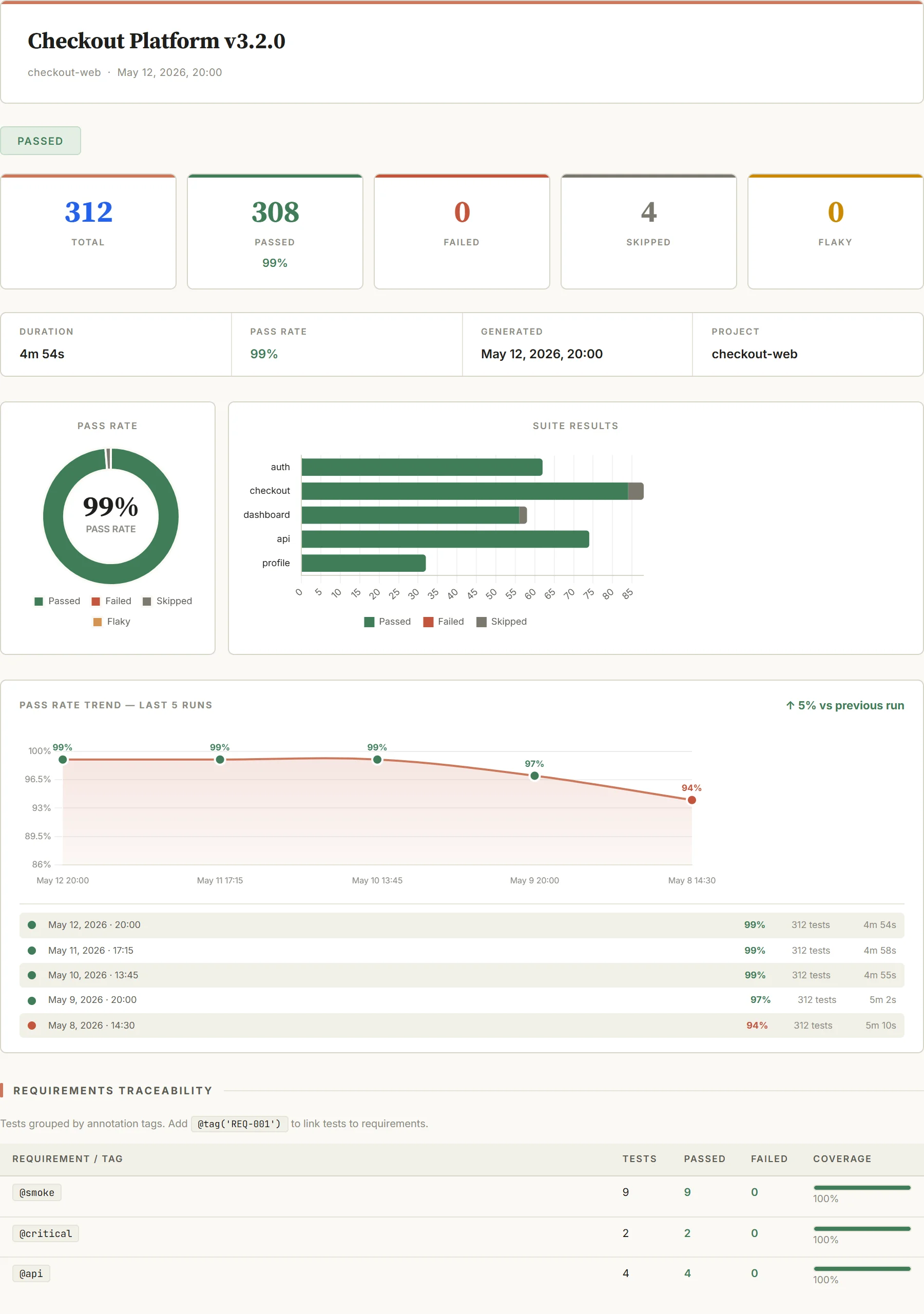
Three lines to ship.
Add to your reporter array in playwright.config.ts. No changes to existing tests.
// playwright.config.ts
reporter: [
  ['@reportforge/playwright-pdf', {
    template: 'executive',       // minimal | detailed | executive
    outputFile: 'reports/{date}-{branch}.pdf',
  }],
];
npm i @reportforge/playwright-pdf puppeteer-coreBeyond the PDF
The report is the surface. Underneath, the reporter does the work that makes it worth shipping on every run — all in the same subscription.
How it works
From install to a report in the ticket — three steps, no test changes.
Install
Add the package and three lines to your reporter array. No changes to existing tests.
Run CI
Your existing Playwright suite runs unchanged — the reporter renders the PDF after the run.
PDF in the ticket
A designed PDF drops as a CI artifact, ready to attach to the ticket — not a screenshot in Slack.
ReportForge vs. the built-in HTML reporter
Both run the same Playwright tests. ReportForge adds the report layer the built-in HTML reporter doesn't — designed PDFs your team can send, not a folder you have to host.
| Capability | ReportForge | Built-in HTML |
|---|---|---|
| Designed PDF output | Yes | No |
| Stakeholder / executive view | Yes | No |
| Custom branding (logo + colours) | Yes | No |
| PDF encryption | Yes | No |
| Merge parallel shards into one PDF | Yes | No |
| Cross-run trend history | Yes | No |
| Run notifications (Slack / Teams / Discord) | Yes | No |
| Interactive HTML browser + trace viewer | No | Yes |
Why this exists
“After every test run, the numbers I cared about were stuck in an HTML report I couldn't drop into an email or a chat. So I hacked together a script to dump them into a table and share it. Got tired of maintaining that and built the reporter to output the file I actually needed.”
One subscription. Every template. Every CI run.
No per-seat fees. No per-report fees. One flat price.
- 7-day free trial, no upfront commitment
- No per-seat fees. No per-report fees.
- Cancel any time from your dashboard
Subscription
all three templatesor ₹8,499 / $99 per year
- Minimal, detailed, and executive templates
- Up to 25 active machines — CI runners + dev boxes, 30-day rolling window
- Custom logo + brand colours + PDF encryption
- All CI/CD integrations
- Priority email support
Ship a beautiful report on your next CI run.
Your next sprint ends with a PDF in the ticket, not a screenshot in Slack. Three lines of config. No changes to your tests.